 Accessible Shopfront
WCAG in plain English
By the end of this step: you will know what WCAG is, how it is organised, and which level to aim for.
The short version
- WCAG is the main standard for making websites accessible.
- It has four big ideas, 13 guidelines, and many small checks under them.
- Each check has a level: A, AA or AAA.
- This course aims for Level AA. You will meet the checks one at a time in the steps ahead.
What WCAG is
WCAG stands for Web Content Accessibility Guidelines. It explains how to make web content easier for people with disability to use.[1]
It comes from W3C, the group that writes many web standards. People and groups from around the world help write it.[1]
The newest version is WCAG 2.2. It came out on 5 October 2023.[1] Each new version adds checks but leaves the old ones as they were.[1] So if you meet 2.2, you meet the earlier versions too.
The four big ideas
WCAG is built on four principles. Each one is a plain promise to your visitors.[2]
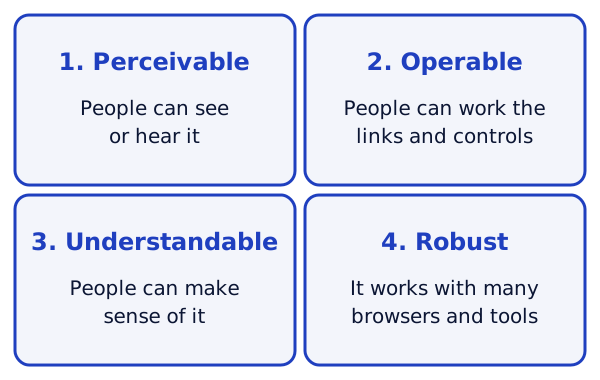
- Perceivable. People can take in your content, by sight, by sound or by touch.[2] Example: a photo has a text description for people who can't see it.
- Operable. People can use your menus, links and buttons.[2] Example: the menu works with a keyboard, not just a mouse.
- Understandable. People can follow your content and know how your site works.[2] Example: a form tells you clearly what went wrong.
- Robust. Your site works with many browsers and tools.[2] Example: a screen reader, which reads the page aloud, can make sense of it.
People often remember these as POUR, from the first letter of each one.
How the rules fit together
Under the four principles sit 13 guidelines.[1] Under each guideline sit success criteria. These are the small checks you can test, one by one.[1]
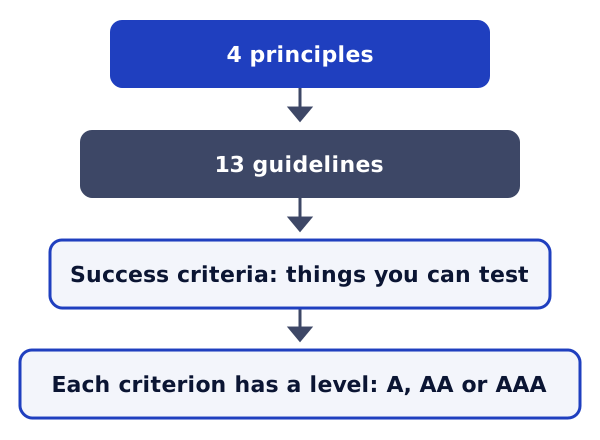
Each success criterion has a number. The number shows where it sits.[2] For example:
- 1 is the principle, Perceivable.
- 1.1 is the guideline, Text Alternatives.
- 1.1.1 is the success criterion, Non-text Content.
This course points to these numbers. That way you can look up any rule yourself.
Levels A, AA and AAA
Each success criterion has one of three levels: A, AA or AAA.[1]
- Level A is the minimum. A page meets it when it passes every Level A check.[2]
- Level AA means the page passes every A check and every AA check.[2]
- Level AAA is the highest. W3C does not advise making it a rule for a whole site. Some content simply can't meet every AAA check.[2]
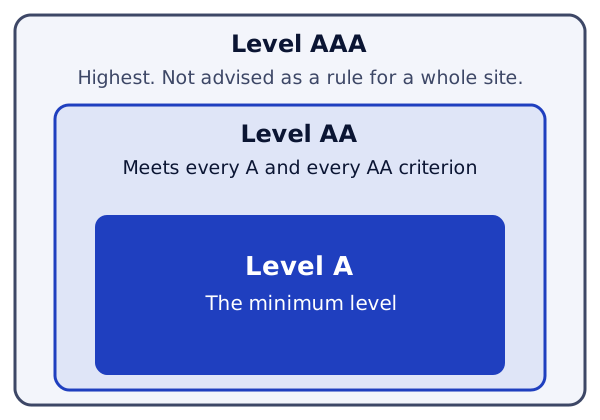
In this course, we aim for Level AA. It includes every Level A check, plus more. Where a tip goes past AA, we say so.
Your best reference
W3C publishes a Quick Reference to WCAG. It lists every success criterion and how to meet it.[3] You can filter it by level, so you only see A and AA.
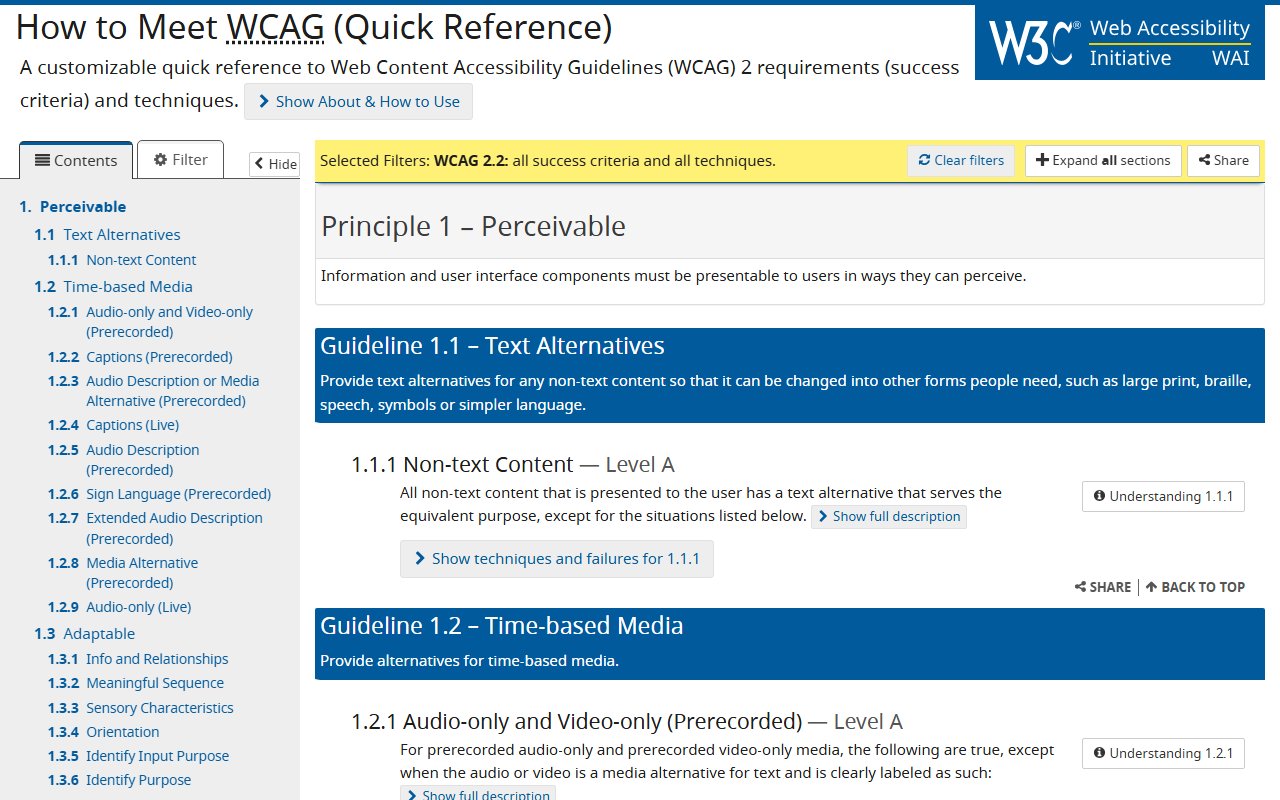
You don't need to read it all now. Keep it handy. Each step in this course links to the parts you need.
Try it on your site
- Open the WCAG 2.2 Quick Reference.
- Find 1.1.1 Non-text Content. Read its short summary.
- Now look at the first image on your home page. Ask: if this picture didn't load, what would a visitor miss?
- Keep your answer. You will use it in Step 4, on alt text.
Sources
- WCAG 2 Overview, W3C Web Accessibility Initiative (accessed 2026-10-18)
- Web Content Accessibility Guidelines (WCAG) 2.2, W3C (accessed 2026-10-18)
- How to Meet WCAG (Quick Reference), W3C Web Accessibility Initiative (accessed 2026-10-18)